IOS 学习笔记(Use UITableView Without UITableViewController)PART 10
直接通过拖拽使用UITableViewController是一种很不programmatic的方式,而完全用代码初始化实现一个视图又等于浪费了XCode调整后如此优秀的StroyBoard体系,所以如果能拖拽一个UITableView,指定它的尺寸和位置,然后融入到视图设计中去,才是我想要的使用办法。

Use UITableView Without UITableViewController
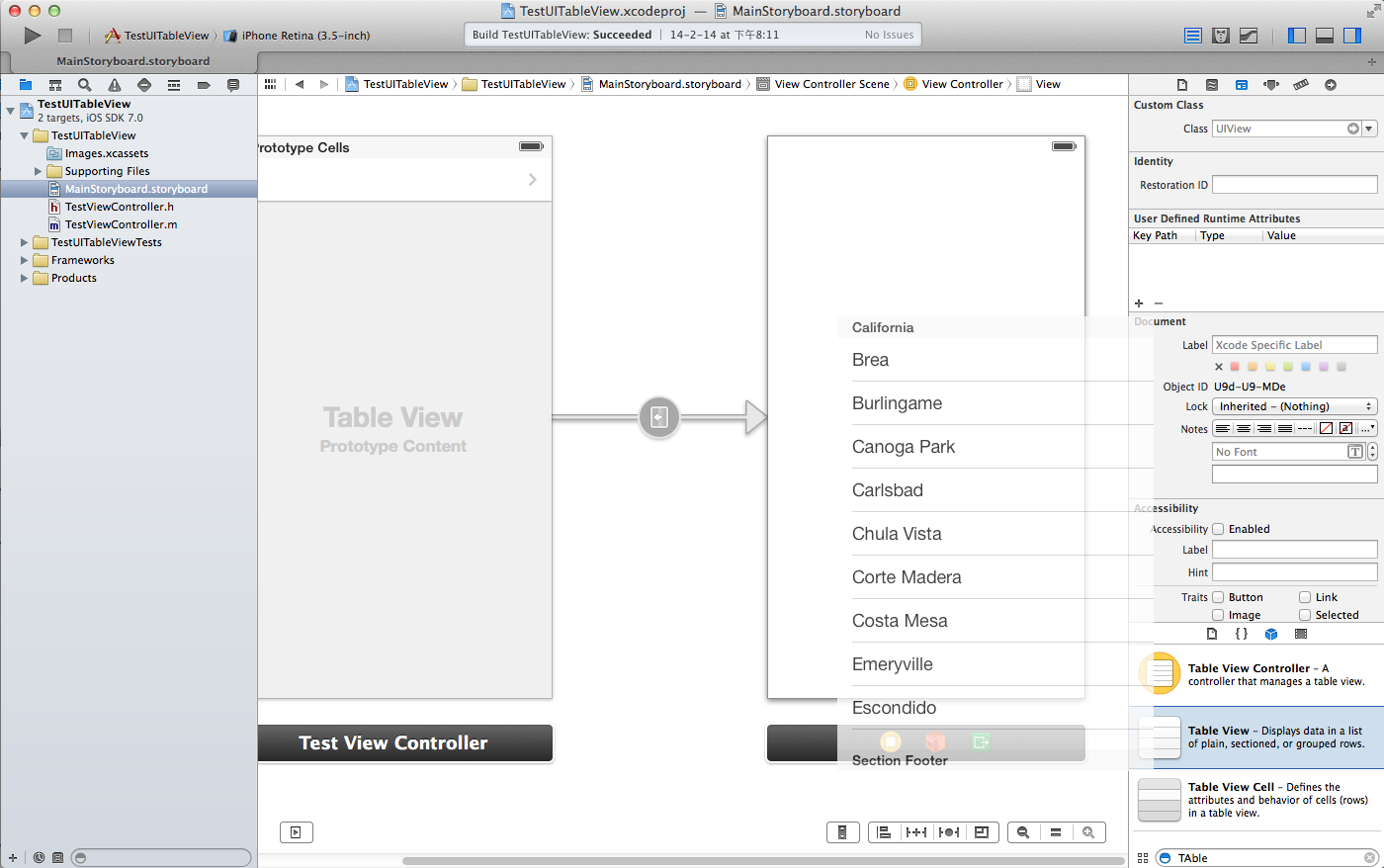
实现这个的步骤如下,拖拽一个UITableView到你的界面上,调整好位置和大小,
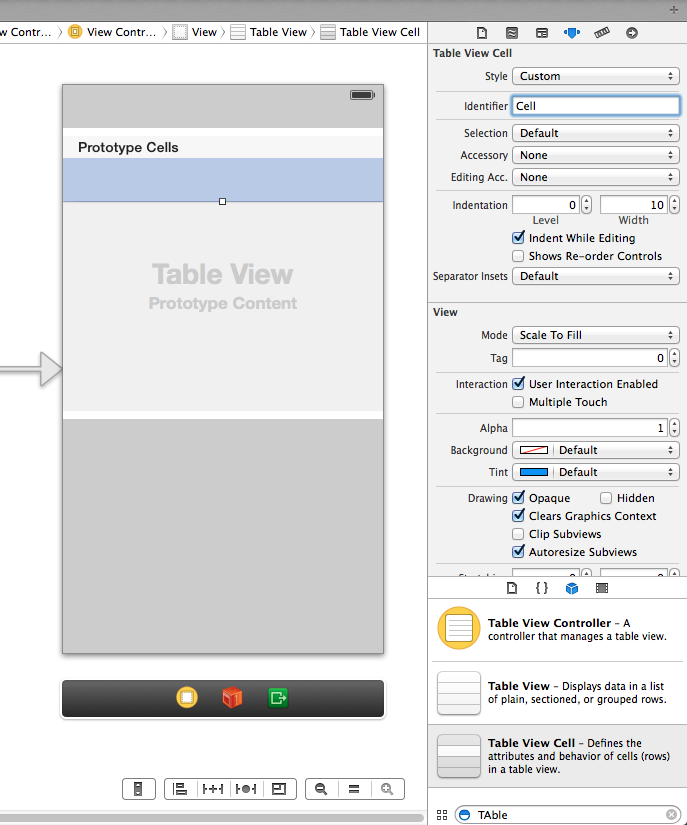
然后,实现对应的拖拽一个TableView Cell到TableView中,并将其identifier标记为Cell,
下面就是实现对应的Delegate,有两种办法,第一种比较简单,直接按住Ctrl键,从tableView拖拽向视图下方的黄色的ViewController Icon,
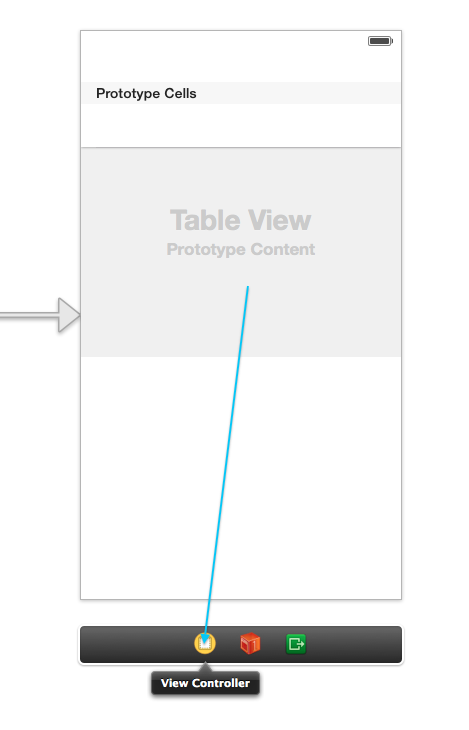
然后分别将datasource和delegate的outlet绑定好。然后就可以实现对应的代理方法来查看结果了。
#pragma mark -- table view functions
- (NSInteger)numberOfSectionsInTableView:(UITableView *)tableView
{
    // Return the number of sections.
    return 1;
}

- (NSInteger)tableView:(UITableView *)tableView numberOfRowsInSection:(NSInteger)section
{
    // Return the number of rows in the section.
    return 3;
}

- (UITableViewCell *)tableView:(UITableView *)tableView cellForRowAtIndexPath:(NSIndexPath *)indexPath
{
    static NSString *CellIdentifier = @"Cell";
    UITableViewCell *cell = [tableView dequeueReusableCellWithIdentifier:CellIdentifier forIndexPath:indexPath];

    cell.textLabel.text = @"test";
    //    cell.detailTextLabel.text = dateAndTime;
    return cell;
}
另外一种方式,是在对应的ViewController中,实现两个接口,UITableViewDataSource,UITableViewDelegate,然后在程序运行时。代码如下:
#import "SingleTableViewController.h"

@interface SingleTableViewController ()<UITableViewDataSource,UITableViewDelegate>

@end

@implementation SingleTableViewController

- (void)viewDidLoad
{
    [super viewDidLoad];
    self.tableView.delegate = self;
    self.tableView.dataSource = self;
}
将html文本作为WebView的页面内容显示
假定有如下html格式的源码存放在NSString中,要将其显示在一个UIWebView中,做法如下:
NSString *htmlText = @"<html><body><h1>Hi</h1></body></html>";
[self.webView loadHTMLString:htmlText baseURL:nil];
要想使用外链的css文件,做法如下:
NSString *htmlTemplate = @"<html><head><link type=\"text/css\" rel=\"stylesheet\" href=\"demo.css\" /></head><body><h1 class='title'>HIIIII</h1></body>";
NSString *path = [[NSBundle mainBundle] bundlePath];
NSURL *baseURL = [NSURL fileURLWithPath:path];
[self.webView loadHTMLString:htmlTemplate baseURL:baseURL];